
Key Takeaways
- Essential information about Disney World attractions and experiences
- Practical tips for maximizing your visit
- Important details to know before you go
Disney PhotoPass is the photo system Disney uses across the parks, and Disney PhotoPass is the add-on that gives you downloadable access to eligible ride photos, attraction videos, Magic Shots, and pictures taken by PhotoPass photographers during your trip. In simple terms, PhotoPass is the service collecting the photos.
Disney PhotoPass is the product that lets you download more of them without buying each image one by one.
For some families, Disney PhotoPass is an easy yes. It is especially useful if you want a lot of ride photos, plan to stop often for castle or park icon pictures, or do not want one person stuck behind the camera all trip. For lower-photo trips, buying a few individual images may make more sense.
This guide explains how Disney Disney PhotoPass and PhotoPass work, who should buy them, and how to get the most value from the service.
Disney Disney PhotoPass vs. PhotoPass: the quick answer
- PhotoPass = Disney’s in-park photo system
- Disney PhotoPass = the purchase option that gives you broader digital download access
- Best for = families, first-time visitors, celebration trips, and anyone who wants lots of group photos
- Less useful for = travelers who take very few posed photos or only want one or two ride pictures
What is Disney PhotoPass?
Disney PhotoPass is the umbrella system that collects eligible photos and videos from your trip. That can include:
- Photos taken by Disney photographers in the parks and resorts
- Ride and attraction photos on participating attractions
- Select attraction videos
- Magic Shots and other enhanced photo effects
- Some character dining and character interaction photos, depending on the experience
Those images are tied to your Disney account through your park ticket, MagicBand+, mobile device, or other linked trip credentials in My Disney Experience.
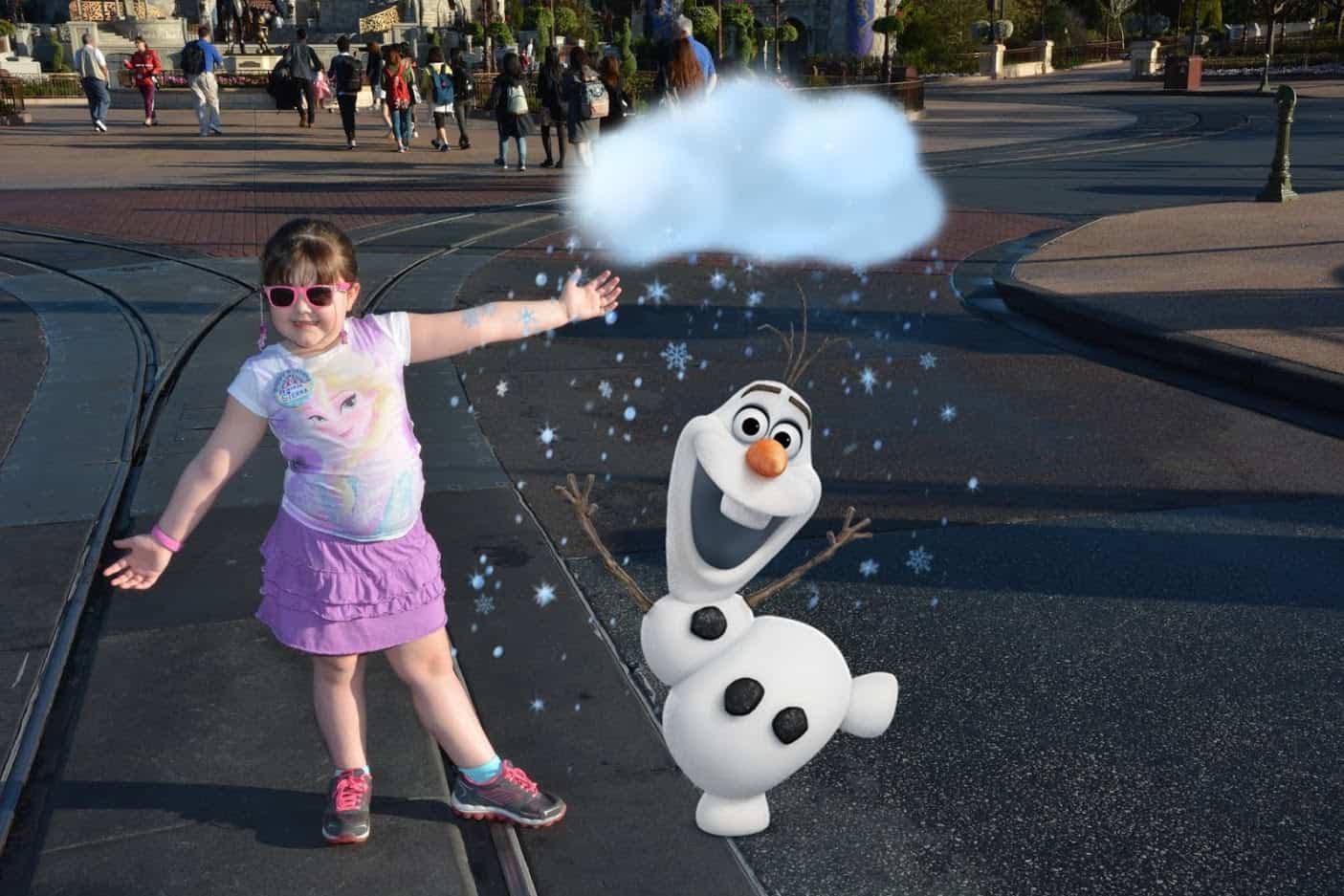
What is Disney Disney PhotoPass?
Disney PhotoPass is the product that gives you access to download your eligible Disney PhotoPass images and videos without paying for each one individually.
That is the core difference many travelers miss:
- PhotoPass takes and stores the photos
- Disney PhotoPass unlocks broader download access
If your group plans to collect a lot of photos over several park days, Disney PhotoPass can be more convenient and often more cost-effective than buying pictures one at a time.
How Disney Disney PhotoPass works during your trip
- Link everyone in your travel party in My Disney Experience.
- Have PhotoPass photographers scan your ticket, MagicBand+, or linked device.
- Check participating ride photos and attraction media in the app.
- Review your photos after each park day.
- Download your eligible images before they expire.
If your group is well linked in Disney’s system, the process is usually pretty smooth. If not, missing photos become much more common, so it is worth checking your setup before the trip starts.
When Disney PhotoPass is worth it
Disney PhotoPass is usually worth it if your group expects to collect a high volume of photos across multiple days.
It makes the most sense when:
- You want multiple full-group photos and do not want one adult missing from the shot every time
- You plan to stop for park icon pictures, castle photos, and evening shots
- Your family cares about ride photos
- You are celebrating a first trip, birthday, anniversary, or other milestone
- You want the convenience of downloading everything in one place
When Disney PhotoPass may not be worth it
- You rarely stop for posed photos
- Your trip is short and photo-light
- You mainly want candid phone photos
- You only care about one or two attraction shots
If that sounds like your trip, it may be smarter to skip the package and only purchase specific images you really love.
Disney Skyliner Quick Answer” decoding=”async” src=”https://wdwtravels.com/wp-content/uploads/post_3231_section_0.jpg” style=”margin: 25px 0; max-width: 100%; height: auto; border-radius: 8px; display: block;” title=””/>
What kinds of photos are included?
Included media can vary by attraction and experience, but most travelers use Disney PhotoPass for a mix of:
- Castle and park icon photos
- Family pictures in front of major landmarks
- Ride photos
- Ride videos where available
- Magic Shots
- Character photos
The biggest value usually comes from volume. The more eligible photos your group actually takes, the stronger the case for Disney PhotoPass becomes.

Tips for getting more value from PhotoPass and Disney PhotoPass
- Stop for photos early and late in the day. Those are often the best lighting windows.
- Ask for Magic Shots when available. They add extra personality without much extra effort.
- Check ride photos regularly in the app. Fixing missing links is easier while you are still on the trip.
- Make sure your travel party is linked correctly. That matters more than most people think.
- Use PhotoPass on arrival day and departure day too if those are park days.
How long do Disney PhotoPass photos last?
Disney’s exact timelines can change, so the safest approach is simple: download your photos as soon as you know you want them. Do not assume they will sit there forever after your trip.
If you are counting on Disney PhotoPass for your vacation photos, build one post-trip task into your schedule: log in, review everything, and download the files promptly.
Can you still use your own phone or camera?
Absolutely. In fact, most families should do both.
Use your own phone for spontaneous moments, meal photos, and low-pressure candids. Use PhotoPass for full-group images, landmark shots, and attraction photos you cannot capture yourself.
That combination usually gives you the best mix of convenience and coverage.

Who should buy Disney PhotoPass before a Disney trip?
Disney PhotoPass is usually the best fit for:
- First-time visitors who want lots of classic vacation photos
- Families with kids who will stop for multiple landmark and character photos
- Celebration trips such as birthdays, anniversaries, or reunions
- Groups planning a longer stay with several park days
If your trip budget is tight, compare it against other optional add-ons before buying. You may want to balance it against bigger trip costs like transportation, resort upgrades, or dining. For broader savings strategy, read how to plan a Disney World trip on a budget.
How Disney PhotoPass fits into your overall Disney budget
Disney PhotoPass is not a must-have for every trip, but it can be a smart “yes” if photos matter to your family. The better question is not just “What does it cost?” but “How much will we actually use it?”
If you are already trying to map out trip spending, pair this decision with our guides on why Disney World is so expensive and how much to budget for food at Disney World.
That gives you a clearer picture of where Disney PhotoPass fits in the full vacation budget.
Memory Maker Pricing (2026)
As of 2026, Disney’s Memory Maker photo package pricing is:
- Purchase in advance (3+ days before trip): $199 flat fee for the entire family
- Purchase during trip: $219 flat fee for the entire family
- Single day option: $69 for one calendar day of photos
What’s included: All PhotoPass photos taken by Disney photographers, ride photos, character dining photos, and attraction videos. Unlimited downloads and sharing.
How it works: Once purchased, link it to your My Disney Experience account. All photos taken by Disney photographers during your trip are automatically added to your account.
Sources: Disney official website, verified 2026 pricing.
Frequently asked questions
What is the difference between Disney PhotoPass and Disney PhotoPass?
PhotoPass is the photo capture system used around Disney World. Disney PhotoPass is the purchase option that gives you downloadable access to more of those eligible photos and videos.
Is Disney PhotoPass worth it at Disney World?
It is often worth it for families, longer trips, first-time visits, and travelers who want lots of group photos and ride photos. It is less compelling for short or low-photo trips.
Can everyone in your party use Disney PhotoPass?
Travel-party setup matters. If everyone is linked correctly in My Disney Experience, it is much easier to collect and manage eligible photos across the group.
Should you still take your own photos if you buy Disney PhotoPass?
Yes. Your phone or camera is still the best tool for spontaneous moments, while PhotoPass works well for polished group shots and attraction media.
Need more trip-planning help? See our annual pass guide and our Disney World transportation guide.
Recent Posts
Ever walked down Main Street, U.S.A. and heard a crisp, robotic chant echoing from the Imperial‑style barracks? You’re not imagining it—Disney’s ne...
Whether you’re a first‑time visitor craving a quick bite or a seasoned Disney foodie hunting the next unforgettable dinner, the choices can feel as en...